TL;DR
- Claude Code security extends beyond vulnerabilities in AI-generated code.
- MCP servers and agent skills expand the attack surface.
- Built-in permissions and sandboxing don't cover all Claude Code activity.
- Enterprises need AI inventory, real-time monitoring, and policy enforcement.
The Security Risk You Won't Find in a Code Review
Claude Code security isn't just about whether the code it generates is safe. By the time a developer reviews a pull request, Claude Code may have already accessed sensitive files, executed commands, and interacted with external systems.
Consider a developer asking Claude Code to investigate an application error. Claude Code examines the repository, reads configuration files, runs tests, and uses a connected MCP (model context protocol) server to retrieve additional information.
The generated code might be secure. The tests might pass. But what if Claude Code accessed unrelated sensitive information, followed malicious instructions in an issue description, or interacted with an unapproved MCP server?
None of these risks necessarily appear in the final code.
Traditional application security tools can identify vulnerabilities in source code and dependencies. They don't, however, capture everything an AI coding agent accessed, executed, or communicated with while completing a task.
Claude Code Is More Than a Coding Assistant
Unlike coding assistants that primarily suggest or complete code, Claude Code can execute multi-step development tasks.
Depending on its configuration, permissions, and available tools, Claude Code can read and modify repository files, execute shell commands, run tests, and connect to external systems.
Through MCP servers, Claude Code can use tools connected to services such as issue trackers, source code repositories, and databases. These connections aren't limited to retrieving information. Depending on the exposed tools and permissions, Claude Code may also update records or trigger actions in connected services.
Security teams need to understand what developers ask Claude Code to do, as well as which resources it uses and which actions it takes to complete the task.
Four Security Risks CISOs Need to Understand
1. Sensitive Data and Credential Exposure
Claude Code operates in development environments that may contain proprietary source code, configuration files, API keys, credentials, and sensitive business information.
Claude Code often needs to access these resources to complete legitimate development tasks. The concern is how that information is handled.
Sensitive information could be included in an AI interaction, incorporated into generated output, or passed to a connected external tool. Misconfigured permissions may also give Claude Code access to information unrelated to the task.
Reading a configuration file to diagnose an error may be legitimate. Exposing a credential found in that file is not. Security teams must distinguish authorized access from unnecessary data exposure.
2. Indirect Prompt Injection
Claude Code processes information from sources that may not be trustworthy, including repository files, documentation, issue descriptions, and MCP tool responses.
An attacker can place malicious instructions inside such content, attempting to influence Claude Code during a legitimate task. This is known as indirect prompt injection.
For example, someone able to modify an issue ticket could insert instructions into its description. When Claude Code retrieves the ticket to investigate a bug, these instructions might attempt to make it access unrelated files or invoke an external tool.
The security failure occurs if content that should be treated as task data is instead followed as an instruction. A legitimate developer request doesn't make retrieved content trustworthy.
Anthropic documents safeguards against prompt injection, but their presence doesn't eliminate the risk. The enterprise security question is whether untrusted content can influence access to data, tool selection, or actions outside the intended task.
3. Unapproved MCP Servers and Agent Skills
MCP servers extend Claude Code's capabilities by exposing tools and data sources.
Developers may configure servers without security review. A server could expose more functionality than a task requires, return malicious content, or connect to sensitive enterprise systems.
Claude Code supports MCP server configurations at local, project, and user scopes. Reviewing a project's .mcp.json file alone doesn't reveal every server available to a developer's session. Locally configured and user-scoped servers must also be considered when building an AI inventory.
Agent skills introduce a related but distinct risk. Claude Code skills contain reusable instructions and may include supporting files or scripts. Unlike MCP servers, which expose tools and data, skills help direct how Claude Code performs tasks. An untrusted skill could influence its behavior or introduce unsafe operations.
Both require inventory and security review.
4. Unsafe Actions Within Approved Permissions
Claude Code doesn't necessarily need to bypass access controls to create a security risk.
Consider an approved MCP server with database access. Claude Code may have permission to run queries, but a development task might require only a limited set of diagnostic information. Retrieving unrelated sensitive records could be technically permitted yet inappropriate for that task.
An action may pass an authorization check yet fall outside the steps needed to complete the task. This also applies to shell commands and file modifications.
This makes task context important. Security teams need to assess whether an action is appropriate, not simply whether a tool or user account has permission to perform it.
Doesn't Claude Code Already Have Security Controls?
Yes. Claude Code includes native protections that any enterprise assessment should account for.
Anthropic provides configurable permission modes. In Manual mode, certain actions require developer approval. Auto mode uses a separate classifier to evaluate certain actions before execution. Organizations can also define permission rules and use managed settings to establish common configurations.
Claude Code supports sandboxing to restrict filesystem and network access for shell commands, when enabled and configured.
These are meaningful controls, but their scope matters. According to Anthropic's sandboxing documentation, the built-in Bash sandbox covers shell commands and the processes they launch. Built-in file tools and local MCP server processes run outside that sandbox and follow separate security mechanisms. Some commands can also run outside the sandbox, depending on the configuration.
Native controls establish important boundaries. They don't, by themselves, provide a complete picture of activity across every developer endpoint, tool connection, and multi-step agent task.
How Should Enterprises Secure Claude Code?
A practical strategy should address the development workflow, from discovering where Claude Code is used to monitoring and controlling its interactions with tools and enterprise systems.
Discover Claude Code and Its MCP Connections
Security teams should establish where Claude Code is running across managed employee endpoints and identify the MCP servers and agent skills available to developers, particularly those that haven't been reviewed or approved.
An AI inventory should help answer:
- Which developers are using Claude Code?
- Which MCP servers are configured, and which are unsanctioned?
- What tools and external systems can those servers expose?
- Which agent skills are available or being used?
Approving Claude Code doesn't automatically approve its connected MCP servers or skills.
Apply Claude Code's Native Security Controls
Organizations should establish baseline configurations for permission rules, sandboxing, approved integrations, and managed settings.
Review where Claude Code can read and write files, which commands it can execute, and which network destinations it can reach. Pay attention to broad permissions, settings that bypass approvals, and exceptions permitting commands to run outside the sandbox.
Access boundaries should reflect the sensitivity of the development environment, including any connections to production systems.
Assess MCP Servers Before Approving Them
MCP servers should be reviewed based on their source, functionality, permissions, and access to enterprise systems.
For internally developed servers, static code analysis can help identify weaknesses in the implementation. However, reviewing server code cannot establish how Claude Code will use the exposed tools during a real task.
Security assessments should cover both implementation risks and the actions each tool permits. Agent skills require a separate review, especially when they come from untrusted sources or contain scripts that may execute commands.
Enforce Security Policies on MCP Activity
Discovering MCP servers is only the first step. Enterprises also need to restrict which servers can be used and what actions coding agents may perform through them.
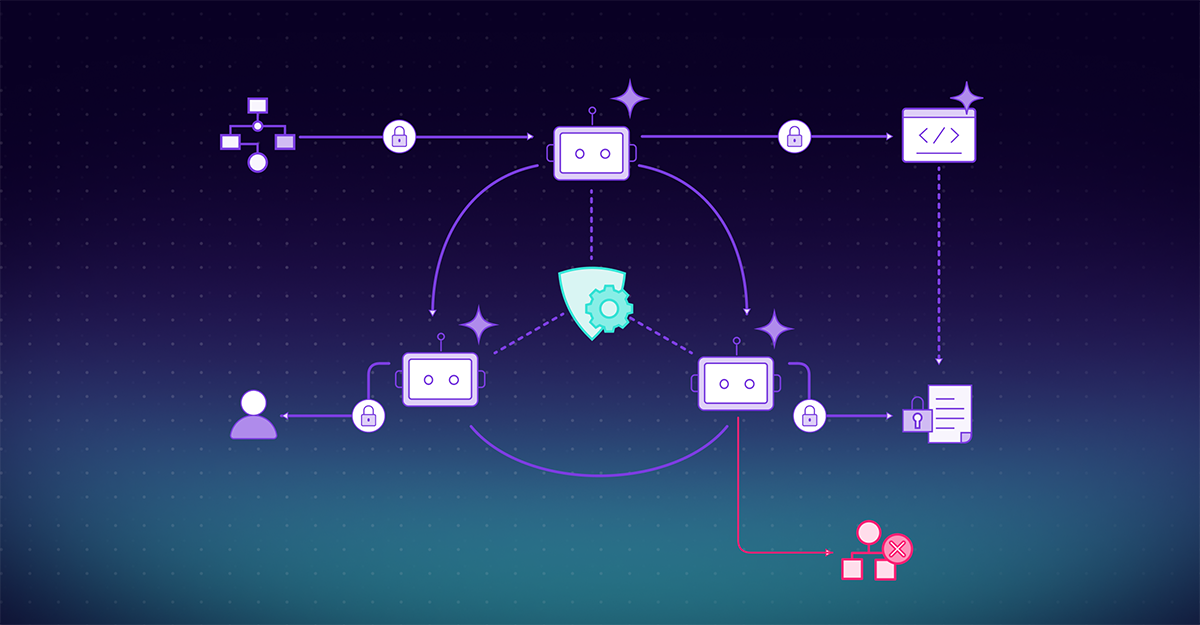
A centralized MCP security gateway can act as an enforcement point for traffic routed through it. Depending on the architecture, relevant controls include:
- MCP allow lists: Restrict connections to approved servers.
- Traffic steering: Route supported MCP traffic through a security gateway.
- Guardrail filtering: Inspect interactions against security policies.
- Runtime authorization: Control permitted MCP tool actions during execution.
- Audit logging: Record MCP interactions for investigations and governance.
These controls address MCP activity. They don't replace protections for Claude Code's direct file access and shell command execution, which can occur outside MCP connections.
Monitor Agent Behavior Across the Workflow
An individual tool call may appear legitimate while the sequence of actions tells a different story.
An error investigation may justify reading source files, but not accessing unrelated sensitive records. Security teams need to understand deviations from the task.
This requires context: the developer's request, the information the agent encountered, the tools it selected, and how its actions relate to the task. Disconnected logs may show what happened without explaining the sequence.
MCP gateway logs capture traffic routed through the gateway. Process-level visibility also needs to cover file access and commands outside MCP connections.
The objective is to detect risky behavior and enforce policies in real time, before an unsafe action causes harm.
Bringing Claude Code Under Enterprise Security Control
Claude Code demonstrates why securing AI-assisted development requires more than scanning generated code.
Organizations must account for the coding agent itself: where it operates, what data it accesses, which tools it invokes, and what actions it executes.
These risks can be managed without preventing developers from using AI coding agents. The goal isn't simply to determine whether Claude Code is approved for use. It's to understand and control what it actually does.
Because by the time the code reaches review, some of the most important security decisions may already have been made.
FAQ
Claude Code security risks extend beyond vulnerabilities in generated code. They include sensitive data and credential exposure, indirect prompt injection, unapproved MCP servers and agent skills, and unsafe actions performed within approved permissions.
Claude Code may access source code, configuration files, credentials, and sensitive business information during development tasks. Risks arise when this information is included in AI interactions, generated output, or shared with connected external tools.
Indirect prompt injection occurs when malicious instructions embedded in untrusted content, such as repository files, issue descriptions, or MCP tool responses, influence Claude Code's behavior. These instructions may attempt to trigger unauthorized data access or tool use.
MCP servers connect Claude Code to external tools and data sources, while agent skills provide instructions that guide its behavior. Unapproved or untrusted servers and skills can expose sensitive systems, introduce malicious content, or influence unsafe operations.
Claude Code provides permissions, managed settings, and sandboxing, but these controls have defined boundaries. For example, its Bash sandbox doesn't cover built-in file tools or local MCP server processes. Enterprises need additional visibility and controls across coding agent activity.
Enterprises should maintain an AI inventory of Claude Code usage, MCP servers, and agent skills; configure native security controls; assess integrations before approval; enforce policies on MCP activity; and monitor agent behavior across multi-step workflows to detect and prevent risky actions.